EMDR Training overview
Virtul EMDR Basic Training
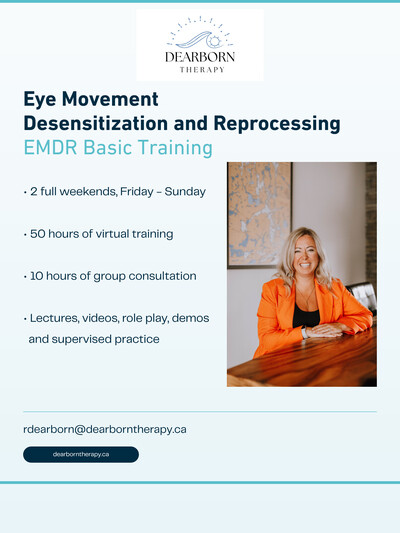
This 50-hour EMDRIA approved curriculum assures participants the highest standard of training and includes 10 hours of group consultation.
Both Part 1 and 2 of the training involve lectures, videos and group supervised practice. Upon completion of both Part 1 & 2 and 10 hours of consultation, participants receive an EMDR Therapy Basic Training Certificate recognized by EMDRIA. Virtual EMDR Therapy Basic Training programs are for clinical purposes only and do not qualify participants to train others in EMDR.
This training will teach participants how to deliver virtually and in-person the EMDR standard protocol.. Participants will also gain confidence in how to recognize contraindicators for EMDR reprocessing and how to strengthen client stability, safety and overall functioning using EMDR resourcing strategies.
Registration and payment fees
Email admin@dearborntherapy.ca to register. Dearborn Therapy admin will send an electronic registration form; your form will be uploaded to our Jane platform and a file created to track your hours.
Costs and Payment
- Full fee (Parts 1 & 2, including 10 hours mandatory consultation): $2,300.00 + HST if paid in full by the Early Bird date, otherwise $2,500.00 + HST.
- The Early Bird date is 3 weeks prior to the course start date.
- Deposit: $400 to reserve a spot if fees are not paid in full at registration.
- Payment plan options are available on request.
What’s Included
Course fees include:
- EMDRIA‑approved Basic Training program (Part 1 & Part 2)
- Comprehensive electronic training manual and additional resources
- Access to instructional videos for the duration of the program
- 10 hours of mandatory group consultation outside the training weekends
Completion Requirements
To receive a Basic EMDR Therapy certificate, registrants must complete Part 1 & Part 2 plus the 10 hours of mandatory consultation. EMDRIA requires completion within 12 months of the program start; this timeframe is included in the training package.
Consultation requirements and cancellation
Consultation
Each trainee must complete 10 hours of consultation as part of the training. These will be pre-scheduled and included in the course fee. Scheduled group consultations with your cohort total 10 hours: 2 hours per month between the first and second training weekends (6 hours), plus 2 hours per month across the next two months (4 hours). If you miss any scheduled hours, you must make them up with your assigned consultant at that consultant’s standard consultation fee. All consultation hours must be completed within one year of the first day of Weekend One. Completion of these hours is required for final certification.
Cancellation
Within 30 days of the program start date, there is a $200 cancellation fee or the full deposit amount can be transferred to an alternate EMDR Therapy Basic Training course, pending availability.
If full payment is not received by the Early Bird Dates (3 weeks before the program starts) the trainee will forfeit their guaranteed spot. If the course becomes filled after the Early Bird date and prior to full payment of fees, $200.00 of the deposit will be lost and the remaining $200.00 can be applied to a future training program. Trainees who interrupt their training due to circumstances beyond their control must complete the training within a 1-year frame.
Complaints and feedback
Complaint process
All complaints will be sent to Regan Dearborn who will follow up within 7 days of receipt by the prefered complaints method i.e phone, email, virutal, in person where appropriate. Complaitants will receive a written response.
Feedback form summary
All trainees will be provided with an email to provide feedback.
They will also be open to provide it verbally at all check in sessions during training, and consultation.
There will also be a feedback form with the following questions:
EMDR Training Evaluation & Feedback Form
Thank you for participating in our EMDR Training. Your feedback helps us maintain high educational standards and improve future cohorts. Please take a few minutes to complete this evaluation.
1. Demographics & Professional Role What is your primary clinical license/profession?
[ ] Psychologist
[ ] LMFT / LICSW / LPCC / Clinical Counsellor
[ ] Registered Nurse / Psychiatric Nurse
[ ] Graduate Student / Intern
[ ] Other (Please specify): _________________
2. Course Objectives & Content Please rate your agreement on a scale of 1 (Strongly Disagree) to 5 (Strongly Agree).
The training clearly explained the Adaptive Information Processing (AIP) model. (1) (2) (3) (4) (5)
I understand how to safely conduct a client readiness and stabilization assessment (Phase 2). (1) (2) (3) (4) (5)
The structural framework of the 8 Phases of EMDR therapy was clearly taught. (1) (2) (3) (4) (5)
The course materials (manuals, scripts, worksheets) are high-quality and useful. (1) (2) (3) (4) (5)
3. Practicum & Skill Development Please rate your agreement on a scale of 1 (Strongly Disagree) to 5 (Strongly Agree).
The live or recorded clinical demonstrations were helpful to watch. (1) (2) (3) (4) (5)
The supervised practicum/breakout sessions gave me enough hands-on practice. (1) (2) (3) (4) (5)
The facilitator provided constructive feedback during my practice of Bilateral Stimulation (BLS). (1) (2) (3) (4) (5)
I feel equipped to manage client abreactions and stay within the window of tolerance. (1) (2) (3) (4) (5)
4. Instructor & Environment Please rate your agreement on a scale of 1 (Strongly Disagree) to 5 (Strongly Agree).
The trainer demonstrated expertise and comprehensive knowledge of EMDR. (1) (2) (3) (4) (5)
Questions were answered thoroughly and respectfully. (1) (2) (3) (4) (5)
The training environment (physical room or virtual platform) was conducive to learning. (1) (2) (3) (4) (5)
5. Open-Ended Feedback What was the most valuable part of this EMDR training?
What specific topics or skills do you feel need more coverage or clarification?
Do you have any comments regarding the training logistics, scheduling, or technology?
6. Future Integration & Certification How confident do you feel starting EMDR reprocessing with your clients next week?
[ ] Very Confident [ ] Moderately Confident [ ] Needing more consultation first [ ] Not Confident
Do you plan to complete your consultation hours to become fully EMDR Certified? [ ] Yes [ ] No [ ] Undecided
Platforms policies
Canva and Zoom
There will be information and a consent provided regarding using zoom as I will be utilizing a zoom account.
Zoom privacy policy as per their website;
What Personal Data Do We Receive?
Personal data is any information from or about an identified or identifiable person, including information that Zoom can associate with an individual person. We may collect, or process on behalf of our customers, the following categories of personal data when you use or interact with Zoom products and services:
- Account Information: Information associated with an account that licenses Zoom products and services, which may include administrator name, contact information, account ID, billing and transaction information, and account plan information.
- Profile and Participant Information: Information associated with the Zoom profile of a user who uses Zoom products and services under a licensed account or that is provided by an unlicensed participant joining a meeting, which may include name, display name, picture, email address, phone number, job information, stated locale, user ID, or other information provided by the user and/or their account owner.
- Contact Information: Contact information added by accounts and/or their licensed end users to create contact lists on Zoom products and services, which may include contact information a user integrates from a third-party app, or provided by users to process referral invitations.
- Settings: Information associated with the preferences and settings on a Zoom account or user profile, which may include audio and video settings, recording file location, screen sharing settings, and other settings and configuration information.
- Registration Information: Information provided when registering for a Zoom meeting, webinar, Zoom Room, or recording, which may include name and contact information, responses to registration questions, and other registration information requested by the host.
- Device Information: Information about the computers, phones, and other devices used when interacting with Zoom products and services, which may include information about the speakers, microphone, camera, OS version, hard disk ID, PC name, MAC address, IP address (which may be used to infer general location at a city or country level), device attributes (like operating system version and battery level), WiFi information, and other device information (like Bluetooth signals).
- Content and Context from Meetings, Webinars, Messaging, and Other Collaborative Features: Content generated in meetings, webinars, messages or through other Zoom products and services to which customer has subscribed (“Customer Content”), which may include audio, video, in-meeting messages, in-meeting and out-of-meeting whiteboards, chat messaging content, transcriptions, transcript edits and recommendations, responses to account owner / host-sponsored post-meeting or webinar feedback requests, responses to polls and Q&A, and files, as well as related context, such as invitation details, meeting or chat name, or meeting agenda. Customer Content may contain your voice and image, depending on the account owner’s settings, what you choose to share, your settings, and what you do on Zoom products and services. As referenced below, Zoom employees do not access or use Customer Content without the authorization of the hosting account owner, or as required for legal, safety, security or support purposes.
- Usage Information Regarding Meetings, Webinars, Messaging, Collaborative Features and the Website: Information about how people and their devices interact with Zoom products and services, such as: when participants join and leave a meeting; whether participants sent messages and who they message with; performance data; mouse movements, clicks, keystrokes or actions (such as mute/unmute or video on/off), edits to transcript text, where authorized by the account owner and other inputs that help Zoom to understand feature usage, improve product design, and suggest features; which third-party apps are added to a meeting or other product or service and what information and actions the app is authorized to access and perform; use of third-party apps and the Zoom App Marketplace; features used (such as screen sharing, emojis, or filters); and other usage information and metrics. This also includes information about when and how people visit and interact with Zoom’s websites, including what pages are accessed, interaction with website features including Zoom’s website’s virtual chat feature, and whether or not the person signed up for a Zoom product or service. Some usage data collection is optional and may be controlled by your Diagnostic Data Preferences Setting.
- Limited Information from Zoom Email and Calendar Services: “Zoom Email” refers to Zoom’s native email service and emails sent from Zoom’s native email service. Zoom Email is designed to be end-to-end encrypted by Zoom by default for emails sent and received directly between active Zoom Email users. Support for end-to-end encryption requires Zoom Email users to have added a device to their Zoom Email account with the associated email address and to use a supported Zoom client. When an email is end-to-end encrypted, only the users, and, depending on their settings, account owners, or designated account administrators control the encryption key and therefore access to the email content, including body text, subject line, attachments and custom labels applied to messages by users in their inboxes. Emails sent to or received from non-Zoom Email users are encrypted after the email is sent or received from Zoom’s servers, if the Zoom Email user chooses to send them with encryption. In all cases, Zoom does have access to email metadata used for basic email delivery—specifically, email addresses in the from, to, cc, and bcc fields, time, mimeID, and the number and size of attachments. From use of Zoom’s native calendar service, Zoom receives information regarding meeting invitations, body text, sender and recipients, and other calendar information.
- Content from Third-Party Integrations: Account owners and/or their licensed end users can access emails, calendars, files and other information from third-party services through their Zoom client, if they choose to integrate them. This information is not end-to-end encrypted by Zoom, but Zoom employees do not access the contents of third-party-service email, calendar entries, files or other information, unless authorized to, or required for legal, safety, security or support purposes. If account owners and/or their licensed end users integrate their third-party emails, calendars, files and/or other information with products and services offered or powered by Zoom, then Zoom may collect or process Customer Content and email, calendar, files and other information, including content, headers, titles, and metadata, from such third-party services.
- Communications with Zoom: Information about, and contents of, your communications with Zoom, including relating to support questions, website virtual chats, your account, feedback provided by users to Zoom about Zoom’s products and services (which is owned by Zoom), and other inquiries.
- Information from Partners: Zoom obtains information about account owners and their users from third-party companies, such as market data enrichment services, including information about an account owner’s company size or industry, contact information, or activity of certain enterprise domains. Zoom may also obtain information from third-party advertising partners that deliver ads displayed on Zoom products and services, such as whether you clicked on an ad they showed you.
In certain jurisdictions, some of the personal data Zoom receives may be considered sensitive. Please see “California & Other U.S. State Privacy Rights” for more information.
Links to an external site.How Do We Use Personal Data?
Zoom employees do not access or use Customer Content including meeting, webinar, messaging, or email content (specifically, audio, video, files, in-meeting whiteboards, messaging, or email contents), or any content generated or shared as part of other collaborative features (such as out-of-meeting whiteboards), unless authorized by the account owner hosting the Zoom product or service where the Customer Content was generated, or as required for legal, safety, security or support purposes. Zoom does not use any of your audio, video, chat, screen sharing, attachments or other communications-like Customer Content (such as poll results, whiteboard and reactions) to train Zoom’s or its third-party artificial intelligence models.
As discussed below, and where technically feasible, Zoom uses personal data to conduct the following activities:
- Provide Zoom Products and Services: To provide products and services to account owners, their licensed end users, and those they invite to join meetings and webinars hosted on their accounts, including to customize Zoom products and services and recommendations for accounts of their users. Zoom also uses personal data to determine what products and services may be available in your location, and uses personal data, including contact information, to route invitations, messages, or Zoom Emails to recipients when users send or receive invitations, messages, or Zoom Emails using Zoom products and services. This may also include using personal data for customer support, which may include accessing audio, video, files, messages, and other content or context, including information you provide through Zoom’s website’s virtual chat feature, at the direction of the account owner or their users. We also use personal data to manage our relationships and contracts with account owners and others, including billing, compliance with contractual obligations, facilitating payment to third-party developers in relation to purchases made through the Zoom App Marketplace, and related administration.
- Local Device Video Features: If you elect to enable certain video features, if available in your area, such as filters, studio effects, avatars, and gestures, information about your movements or the positioning of your face or hands may be processed on your device to apply the selected features. Such data does not leave your device, is not retained, cannot be used to identify you, and is only used to generate the selected effects.
- Enhanced Features: If you elect to enable certain features and you provide the requisite consent, Zoom may process data about your unique physical characteristics, including your facial geometry and /or voiceprint, for the purpose of offering the features. This data will be deleted when no longer necessary, adequate, or relevant to offering the features or when two years have passed since your last interaction with Zoom, whichever occurs first. Your account owner or administrator may need to enable these features before you can elect to enable them and/or may have the ability to disable the features on your behalf.
- Intelligent Features: Zoom provides intelligent features and products to its customers, their licensed end users and guests, such as Zoom AI or other tools to recommend chat, email, or other content, including content from third-party integrations. These tools may use artificial intelligence, machine learning, or other technology to process Customer Content and context solely to provide the intelligent features.
- Product Research and Development: If authorized by any applicable settings, to develop, test, and improve Zoom products and services, and to troubleshoot products and services.
Zoom does not use any of your audio, video, chat, screen sharing, attachments or other communications-like Customer Content (such as poll results, whiteboard and reactions) to train Zoom’s or its third-party artificial intelligence models. - Marketing and Promotions: If authorized by any applicable settings, to permit Zoom and/or its third party marketing partners to market, advertise, and promote Zoom products and services, including based on your product usage, information we receive from third-party partners, information you provide to process referral invitations, or if you visit our websites, information about how and when you visit, and your interactions with them. We may also use this information to provide advertisements to you relating to Zoom products and services or to engage third party partners to analyze your interactions on our website or app or to deliver advertising to you. Zoom does not use Customer Content for any marketing or promotions.
- Authentication, Integrity, Security, and Safety: To authenticate accounts and activity, detect, investigate, and prevent malicious conduct, fraudulent activity or unsafe experiences, address security threats, protect public safety, and secure Zoom products and services. Zoom uses advanced tools to automatically scan certain types of content such as virtual backgrounds, profile images, incoming emails to Zoom’s native email service from someone who is not a Zoom Email user, and files uploaded or exchanged through chat, for the purpose detecting and preventing violations of our terms or policies and illegal or other harmful activity.
- Communicate with You: We use personal data (including contact information, and information you provide through Zoom’s website’s virtual chat feature, including the content of the messages) to communicate with you about Zoom products and services, including product updates, your account, and changes to our policies and terms. We also use your information to respond to you when you contact us.
- Legal Purposes: To comply with applicable law or respond to valid legal process, including from law enforcement or government agencies, to investigate or participate in civil discovery, litigation, or other adversarial legal proceedings, protect you, us, and others from fraudulent, malicious, deceptive, abusive, or unlawful activities, and to enforce or investigate potential violations of our Terms of Service or policies.
Links to an external site.How Do We Share Personal Data?
Zoom provides personal data to third parties only with consent or in one of the following circumstances (subject to your prior consent where required under applicable law):
- Resellers: If an account owner licensed or purchased Zoom products and services from a third-party reseller of Zoom products and services, the reseller may be able to access personal data and content for users, including meetings, webinars, and messages hosted by the account owner.
- Vendors: Zoom works with third-party service providers to provide, support, and improve Zoom products and services and technical infrastructure, and for business services such as payment processing, including in relation to purchases made through the Zoom App Marketplace. Zoom may also work with third-party service providers to provide advertisements and business analytics regarding Zoom products and services. These vendors can access personal data subject to contractual and technical requirements for protecting personal data and prohibiting them from using personal data for any purpose other than to provide services to Zoom or as required by law. Zoom may integrate third-party technology to provide advanced features, such as Apple’s TrueDepth technology, to process information on your device about your face or hand dimensions and gestures to provide video effects. This information is processed on your device, and such information is neither received nor stored by either the third party, or Zoom.
- For Legal Purposes: Zoom may share personal data as needed to: (1) comply with applicable law or respond to, investigate, or participate in valid legal process and proceedings, including from law enforcement or government agencies; (2) enforce or investigate potential violations of its Terms of Service or policies; (3) detect, prevent, or investigate potential fraud, abuse, or safety and security concerns, including threats to the public; (4) meet our corporate and social responsibility commitments; (5) protect our and our customers’ rights and property; and (6) resolve disputes and enforce agreements.
- Marketing, Advertising, and Analytics Partners: Zoom uses third-party marketing, advertising, and analytics providers: to provide statistics and analysis about how people are using Zoom products and services, including our website; and to provide advertising and marketing for Zoom products and services, including targeted advertising based on your use of our website. These third-party partners may receive information about your activities on Zoom’s website through third-party cookies placed on Zoom’s website. To opt out of our use of third-party cookies that share data with these partners, visit our cookie management tool, available in Cookies SettingsLinks to an external site.. Where required by law, Zoom will first obtain your consent before engaging in the marketing or advertising activities described.
- Corporate Affiliates: Zoom shares personal information with corporate affiliates, such as Zoom Voice Communications, Inc., to provide integrated and consistent experiences across Zoom products and services (such as enabling an account owner or their user to integrate a Zoom Phone call into a meeting) and to detect, investigate, and prevent fraud, abuse, and threats to public safety.
- Change of Control: We may share personal data with actual or prospective acquirers, their representatives and other relevant participants in, or during negotiations of, any sale, merger, acquisition, restructuring, or change in control involving all or a portion of Zoom’s business or assets, including in connection with bankruptcy or similar proceedings.
- Third-Party Developers: If you purchase a third-party app or integration from the Zoom App Marketplace, Zoom may share information about the purchase with the third-party developer, to provide the app or integration.
Links to an external site.Who Can See, Share, and Process My Personal Data When I Join Meetings and Use Other Zoom Products and Services?
When you send messages or join meetings and webinars or use other collaborative features on Zoom, other people and organizations, including third parties outside the meeting, webinar, message, or other collaborative features, may be able to see, share, and process content and information that you share:
- Account Owner: An account owner is the organization or individual that signs up for a Zoom account. Typically, an account owner designates one or more people (called an “administrator”) to manage their account and can grant privileges to users on the account. Depending on their license with Zoom, the account owner can authorize additional users on their account, and the account owner can create and/or access the profile information for all users on their account. The account owner and their users can invite others (including guests not on their account and unlicensed participants) to meetings or webinars hosted on their account. Zoom gives account owners controls and features that they can use to determine whether certain types of content, such as recordings or Zoom Chat messages, can be created or sent, and what third-party apps can be used, for meetings and webinars hosted on their account. Depending on their settings, account owners and the users they designate can access personal data for participants who join meetings and webinars on their account or send messages to users on their account. Account owners may also be able to determine what information Zoom and others can access and use. Specifically, account owners may have access to:
- Account Usage:
- Product Usage: Information about how users and their devices interact with their account, which may include who sent messages to their users in chat, email addresses, IP addresses, device information, and other information about who joined meetings or webinars on their account, whether their users viewed or downloaded a recording, how long participants participated in their meetings, the time a message was sent, information about integrations, and other usage information and feedback metrics.
- Participant List: Information about the participants in a Zoom meeting, webinar, or chat, which may include name, display name, email address, phone number, and participant or user ID.
- Registration Information: Information provided during registration for a webinar, meeting, Zoom Room, or recording hosted by the account.
- Zoom Chat and Out-of-Meeting Collaborations: If enabled on their account, account owners and those they authorize can see information about who sent and received Zoom Chat messages, including synced in-meeting messages (e.g., from a dedicated meeting group chat that is synced with Zoom Chat), to users on their account, along with information about the message (for example, date and time, and number of members or participants). Depending on their settings, account owners also can see sender and receiver information, and other messaging data, along with the content of messages sent to and from users on their account (including from in-meeting chat where dedicated meeting group chats are enabled), unless the account owner has enabled Advanced Chat EncryptionLinks to an external site.. Depending on their settings, account owners and those they authorize may also see the content shared through collaborative features, including whiteboards, files, and images shared in Zoom Chat.
- In-Meeting/Webinar Messages: Depending on their settings, account owners can see sender and receiver information, along with the content of messages sent to and from users on their account, in the following circumstances:
- Messages sent to Everyone in a meeting that is recorded
- Messages sent to the meeting group chat in a meeting when a dedicated meeting group chat is enabled
- Messages sent to panelists in a webinar that is recorded
- Messages sent in dedicated meeting group chats in Zoom Chat
- Direct messages if the account owner has enabled archiving
- If a participant in a meeting is subject to archiving, their account owner will have access to messages sent to Everyone in the meeting, as well as direct messages sent to that participant. If a participant who is a member of a dedicated meeting group chat is subject to archiving, the member’s account owner will have access to the meeting group chat messages, as well as direct messages sent to that member. If a guest in a meeting with a dedicated meeting group chat is subject to archiving, the guest’s account owner will have access to messages sent to the meeting group chat, as well as direct messages sent to that guest.
- Recordings and Transcripts: Account owners can view and share recordings and transcripts of meetings and webinars hosted on their account, and may be able to view and share other recordings and transcripts generated by or shared with users on their account. Account owners may be able to view and share content generated by intelligent features that use recordings or transcripts.
- Other Collaborative Feature Content (e.g., Zoom Email, Zoom Calendar, Zoom Canvas, Clips, Whiteboard, Notes, Polls, Q&A, Feedback): Depending on their settings, account owners and designated account administrators can access content hosted on their account. For example, depending on their settings, account owners and designated account administrators can access email and calendar content sent to and from users on their Zoom Email or Zoom Calendar accounts, even if those Zoom Emails are encrypted. In addition, account owners can see information about who provided responses to their polls, Q&A, or post-meeting or webinar feedback requests, including name and contact information, together with the responses or feedback, unless responses are submitted anonymously.
- Account Usage:
- Meeting Hosts, Participants, and Invitees: Meeting hosts, participants, and invitees may be able to see your email, display name, profile picture, and presence status, including in Zoom meetings and in Zoom’s native calendar service. Meeting hosts, participants, and invitees may also see, record, save, and share meeting content, audio transcripts, messages sent to Everyone, messages sent to meeting group chats (where enabled, and whether sent in Zoom Chat or in-meeting), or messages sent to them directly, and files, whiteboards or other information shared with them (including during a meeting, or through a dedicated meeting group chat). Meeting hosts may also share meeting assets to Zoom Chat, depending on their account owner’s settings. Meeting hosts may also be able to see responses to Q&A and polls generated during the meeting.
- Zoom Email, Calendar and Zoom Chat Recipients: Recipients of Zoom Emails and Zoom Calendar invites can see, save, and share your email and calendar content with others, including by sharing emails to Zoom Chat. If a recipient shares encrypted content with others, for example, by sharing an encrypted Zoom Email to Zoom Chat, or forwarding an encrypted Zoom Email to a third-party recipient without a Zoom Email account, the shared or forwarded content will not be end-to-end encrypted by Zoom. Recipients of Zoom Chats can see your messages, reactions, emojis, and related content, including content from Zoom Emails, Zoom Calendar, and emails from third-party services integrated in the Zoom client, that you or a third-party choose to share to Zoom Chat, and in-meeting messages that participants send that are synced with Zoom Chat through dedicated meeting group chats. Depending on the account owner’s settings, Zoom Chat recipients may record, save, or share your messages.
- Webinar Panelists and Attendees: Only panelists may be visible to attendees during a webinar, but attendees who agree to unmute can be heard by other attendees. If an attendee agrees to become a panelist during a webinar, they may be visible to other attendees, depending on settings. Panelists and attendees may be able to see the name of a participant who asks a question during a Q&A, along with their question, unless the participant submits the question anonymously.
- Intelligent Features: Users may be able to access, based on underlying permissions, customer content and context from meetings, webinars, messaging, and other collaborative features through their use of intelligent features.
- Livestreams: Meeting and webinar hosts can choose to livestream to a third-party site or service, which means anyone with access to the livestream will be able to see the meeting or webinar.
- Apps and Integrations:
- Account owners can choose to add Zoom-developed apps and third-party apps to their account and the Zoom products they use, including via use of the Zoom App Marketplace, and they can also control whether their users can add and use specific Zoom and third-party apps, including in meetings, webinars, and chats hosted on their account.
- Account owners can also choose to integrate other content from third-party services – such as third-party email communications, calendar entries, files and other information – with apps and services that they use.
- Depending on their settings, account owners’, users’ and guests’ personal data and content may be shared with apps and integrations, including Zoom-developed apps, approved by account owners, which may include all of the personal data categories listed above, such as account information, profile and contact information, registration information, participants list, settings, content, product usage, device information, or third-party emails that have been shared with the app.
- Other participants in the meeting may be able to see the app that you are using in a meeting, if the app is receiving content (including audio and video) from the meeting.
- Third-party developers may also integrate or embed Zoom meetings into their website or app experiences or build versions of Zoom that enable access to Zoom products from a third-party app.
- Personal information shared by account owners and users with third-party apps and integrations is collected and processed in accordance with the app developers’ terms and privacy policies, not Zoom’s.
Links to an external site.Privacy Rights and Choices
Marketing Communications
If you don’t want to learn about products and services we or our partners offer, you can opt-out of marketing communications in the communication sent to you (for example, via email or SMS), or by emailing privacy@zoom.us. Not all of our communications are for marketing, and you’ll continue to receive messages related to your products and services, such as bills, transactional notices, or customer service. Zoom will not share any mobile data originating from you through a text messaging campaign except with your consent or as necessary to provide you communications about our services or services that you requested.
Data Rights
If you are in the European Economic Area (EEA), Switzerland, or the UK, or a resident of California or another U.S. state with an applicable privacy law, please refer to the respective dedicated sections below. Otherwise, at your request, and as required by applicable law, we will:
- Inform you of what personal data we have about you that is under our control;
- Amend or correct such personal data or any previous privacy preferences you selected, or direct you to
applicable tools; and/or - Delete such personal data or direct you to applicable tools.
In order to exercise any of your rights as to personal data controlled by Zoom, please click hereLinks to an external site.. Where legally permitted, we may decline to process requests that are unreasonably repetitive or systematic, require disproportionate technical effort, or jeopardize the privacy of others. As an account owner or a user under a licensed account, you may also take steps to affect your personal data by visiting your account and modifying your personal data directly.
Links to an external site.Children
Zoom does not allow children under the age of 16 to sign up for a Zoom account.
For educational organizations that use Zoom products and services to provide educational services to children under 18, Zoom’s Children’s Educational Privacy Statement is available hereLinks to an external site..